Early attempts
Everyone is testing their OpenClaw setup to automate coding, marketing, and more, and don't get me wrong, I'm doing that too. But today I want to talk about a different use case, something that feels closer to day-to-day people, the non-technical ones, in this case my dad.
For years and years my dad has been carrying some old pictures. In some of those he appears as a kid with his two brothers, and in some others he's with his mother who died many years ago. The pictures are deteriorating more and more as time passes, but he keeps them as treasures, of course.
Somewhere around 2021 I tried to restore some of those and it was a failed experiment, the technology was not there yet. Still, I was excited with some mid results. What I used at the time was this library called GFPGAN, by the Tencent ARC Lab.
GFPGAN sample comparison
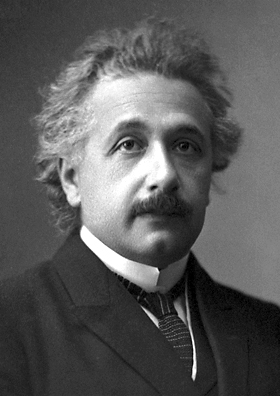
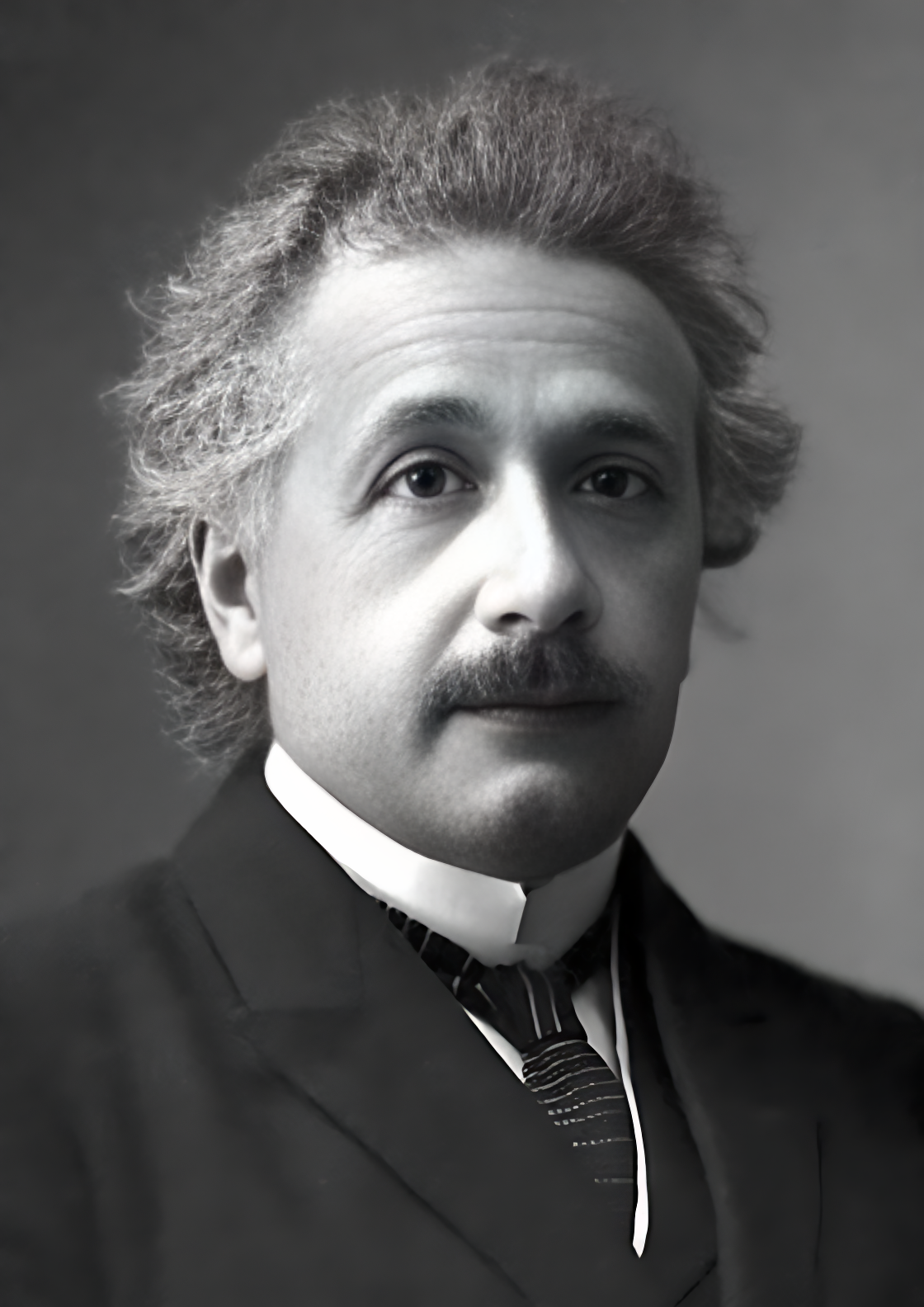
Original image / image restored using GFPGAN.
As you can see, that's not very good yet. I accept my original photo is not in the best state though.
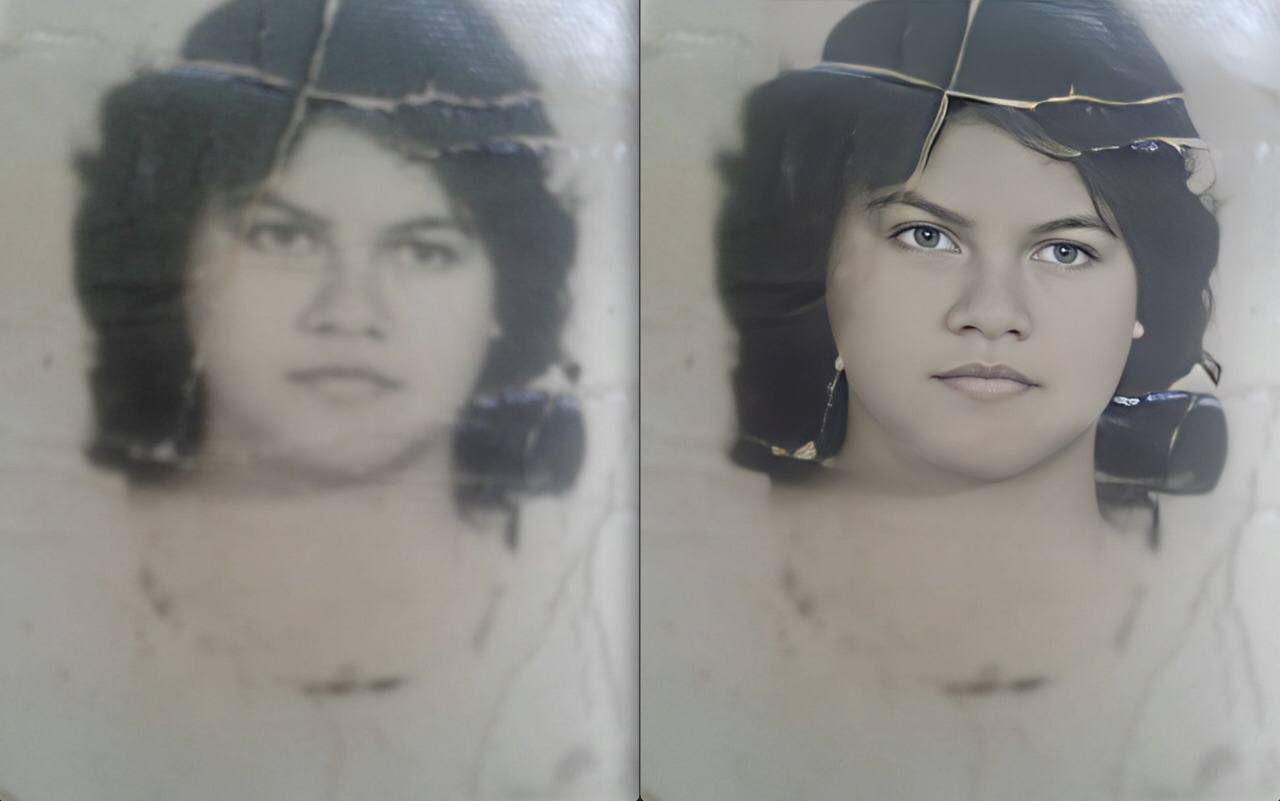
I tried with other pictures, like this one:
Real family photo test
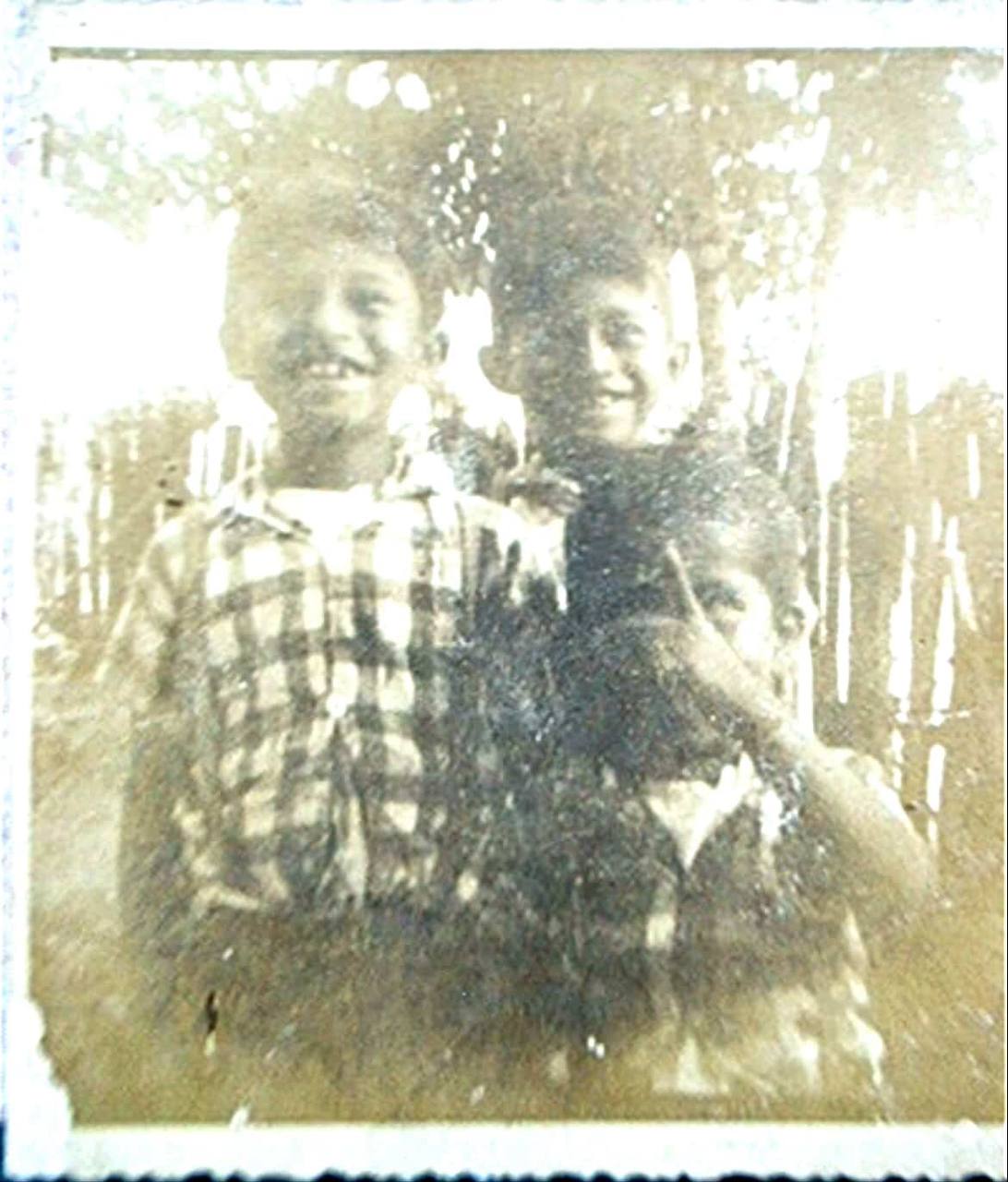
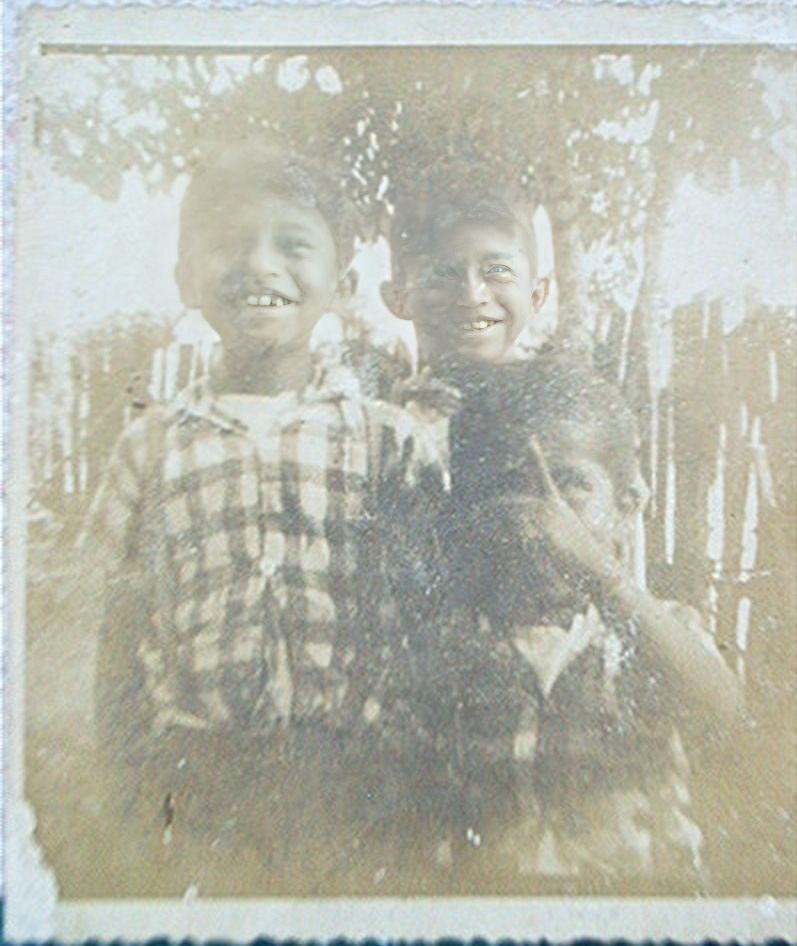
Original image / image "restored" using GFPGAN.
This time the algorithm almost didn't touch the picture. It tried to do something weird with the mouth and eyes, but it's unusable.
That repository died shortly after and is not maintained anymore.
New technologies arrived
Now it's 2026, and while testing my OpenClaw setup and using it via Telegram, I had an idea: what if I could just tell my bot, "Please restore this photo," send the photo in the same message, and the immediate answer would be the photo fully restored?
Wouldn't that be amazing? Well, that's actually what I did, and it works. Let me tell you how.
The setup
I won't make it mysterious. All I used was OpenClaw, Telegram, a Gemini API key (to use Nano Banana), and a good prompt. That's it.

Prompt used
For those curious, here is the prompt:
Enhance the portrait while strictly preserving the subject's identity with accurate facial geometry. Do not change their expression
or face shape. Only allow subtle feature cleanup without altering who they are.
Keep the exact same background from the reference image. No replacements, no changes, no new objects, no layout shifts. The
environment must look identical.
The image must be recreated as if it was shot on a Sony A1, using an 85mm f1.4 lens, at f1.6, ISO 100, 1/200 shutter speed,
cinematic shallow depth of field, perfect facial focus, and an editorial-neutral color profile.
This Sony A1 + 85mm f1.4 setup is mandatory. The final image must clearly look like premium full-frame Sony A1 quality.
Lighting must match the exact direction, angle, and mood of the reference photo. Upgrade the lighting into a cinematic,
subject-focused style: soft directional light, warm highlights, cool shadows, deeper contrast, expanded dynamic range, micro-contrast
boost, smooth gradations, and zero harsh shadows.
Maintain neutral premium color tone, cinematic contrast curve, natural saturation, real skin texture (not plastic), and subtle film
grain. No fake glow, no runway lighting, no oversmoothing.
Render in 4K resolution, 10-bit color, cinematic editorial style, premium clarity, portrait crop, and keep the original
environmental vibe untouched.
Re-render the subject with improved realism, depth, texture, and lighting while keeping identity and background fully preserved.
NEGATIVE INSTRUCTIONS:
- No new background
- No background change
- No overly dramatic lighting
- No face morphing
- No fake glow
- No flat lighting
- No over-smooth skinVery specific if you ask me, and of course, if you know anything about photography you can adjust it even more.
I asked my OpenClaw to save that prompt and convert it into a skill for image restoration. The bot did the heavy work and after that, the magic happened:
Before and after with the OpenClaw workflow
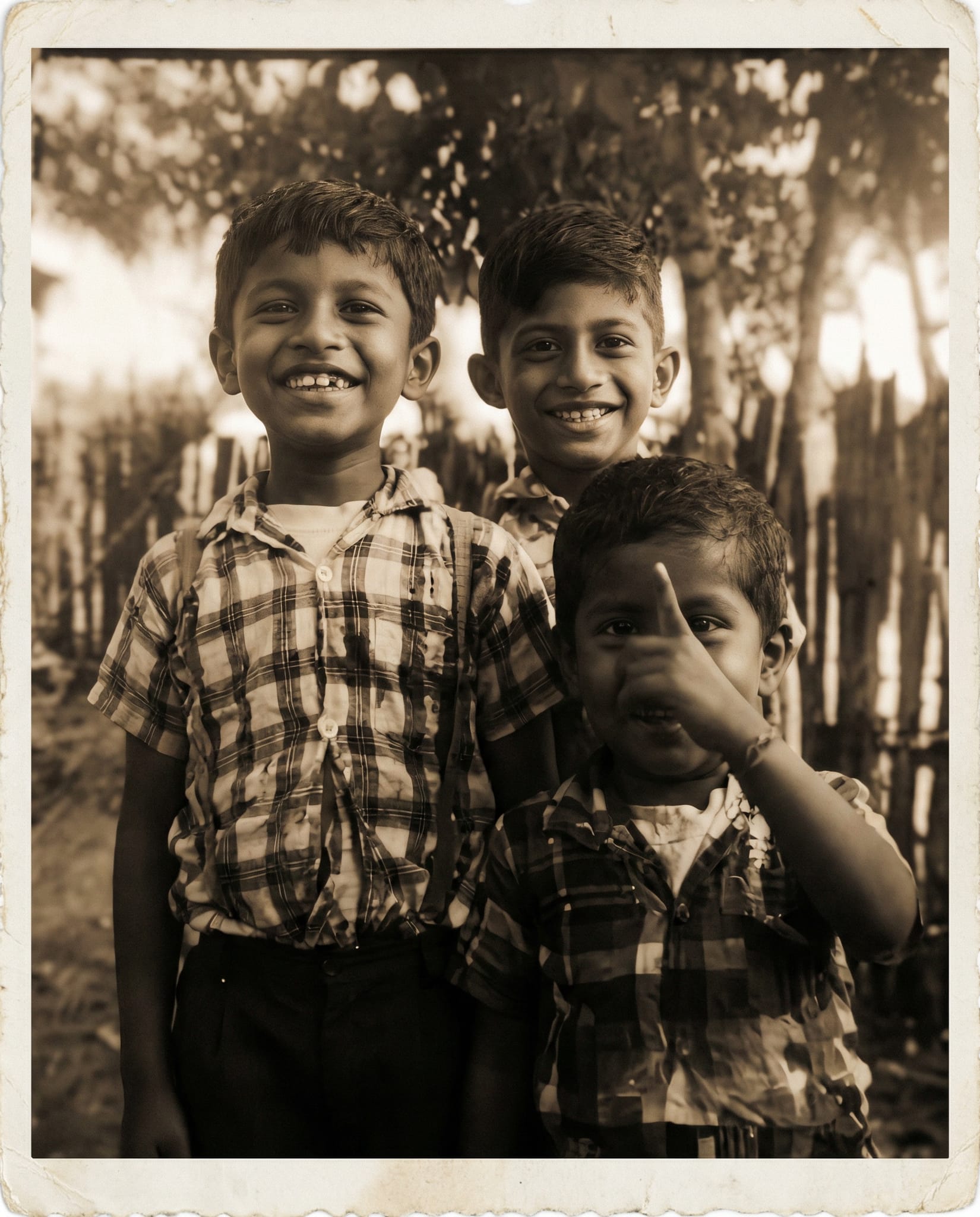
Much better results! 🎉 And I just had to send a message!
And that's it, after testing it a bit I sent my dad the restored picture he posted on Instagram hours before, and he might have thought I was doing black magic or something because he immediately sent me all his treasures to restore.
I also did the same with my mom later. I sent her some irreplaceable pictures she's been saving for a long time, but this time the pictures looked good.
My thoughts on that
For me it was refreshing to give such a new technology mix, a use case so humane like this. I can't do that manually, there is no artist I'm replacing, no photographer either.
There might be a niche service for restoring images like that but it's either not practical or very expensive.
But today I did it. With just one message I can give back some good old memories to my dad. I'm very thankful he's still alive to see that happening.
I know this might be silly and simple for many tech people, especially if you read it in the future when OpenClaw is more common, or when something like Nano Banana is probably already integrated in a messaging app, or even as an Instagram filter.
But today, in the middle of February 2026, I feel like I just invented the iPhone, and the users like it. In my case it's only about two users (my dad and my mom), but that's all I need.